 Foyer
Your new tab,
sorted automatically.
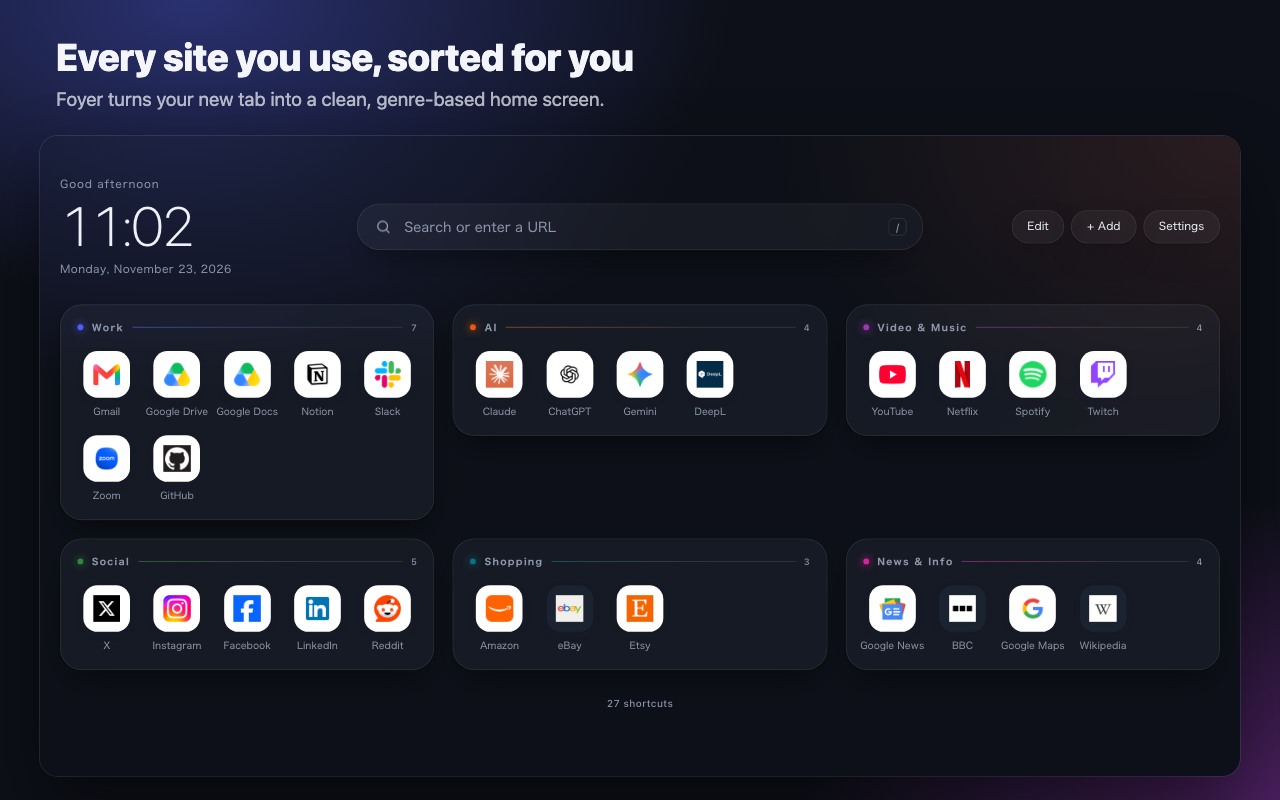
Foyer turns Chrome's new tab into a clean home screen. Find any site at a glance and open it instantly.
Features
Sorted for you
Import your bookmarks and Foyer groups them into Work, Money, AI, Social, Shopping and more, using a built-in list on your device.
Find sites at a glance
Start typing to filter. Move with the arrow keys and press Enter to open.
Make it yours
Drag to reorder, rename genres and pick from 12 colors. Light and dark themes included.
Workspaces Pro
Keep separate home screens for work, personal and more. Switch with a click or Alt+1–9.
Shortcut keys Pro
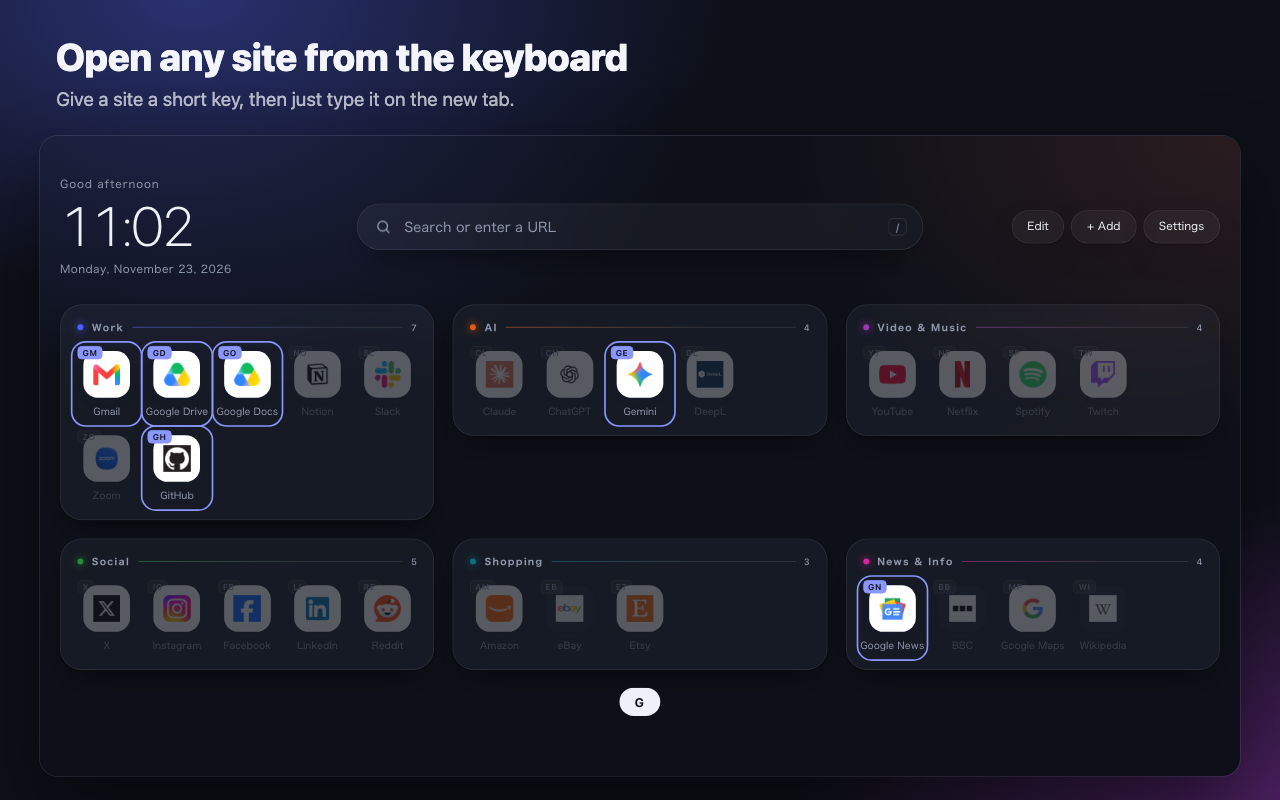
Give a site a short key and open it by typing on the new tab. For example, press g then m for Gmail.
Private by design
No account, no ads, no tracking. Your sites and settings never leave your device. Japanese and English supported.
Pricing
Free
- Automatic genre sorting and bookmark import
- Search filter and drag-and-drop
- Genre colors and ordering, light and dark
- Backup and restore
Foyer Pro
- Everything in Free
- Multiple workspaces
- Per-site shortcut keys
- No subscription. Pay once, keep it.
After purchase, we email you a license key. Paste it into Settings in the extension to activate. Payments are processed by Polar, and taxes are calculated at checkout.
FAQ
Does Foyer send my data anywhere?
No. Your sites and settings are stored only on your device, in the extension's storage. License keys are also checked on your device.
Is it safe to let Foyer read my bookmarks?
Chrome only asks for permission when you press "Import bookmarks". What is read stays on your device and is never sent anywhere.
Can I use my key on more than one computer?
Yes, on devices that you (or the company that bought it) use. Please don't share or resell keys.
Can I get a refund?
Yes. If you ask within 14 days of purchase, we'll refund you, no questions asked. Contact us.
Does it work in other browsers?
We've tested it in Chrome. Other Chromium-based browsers such as Edge or Brave haven't been tested.
Contact
For bug reports, questions, or a license key that didn't arrive, email info@vantar.jp.